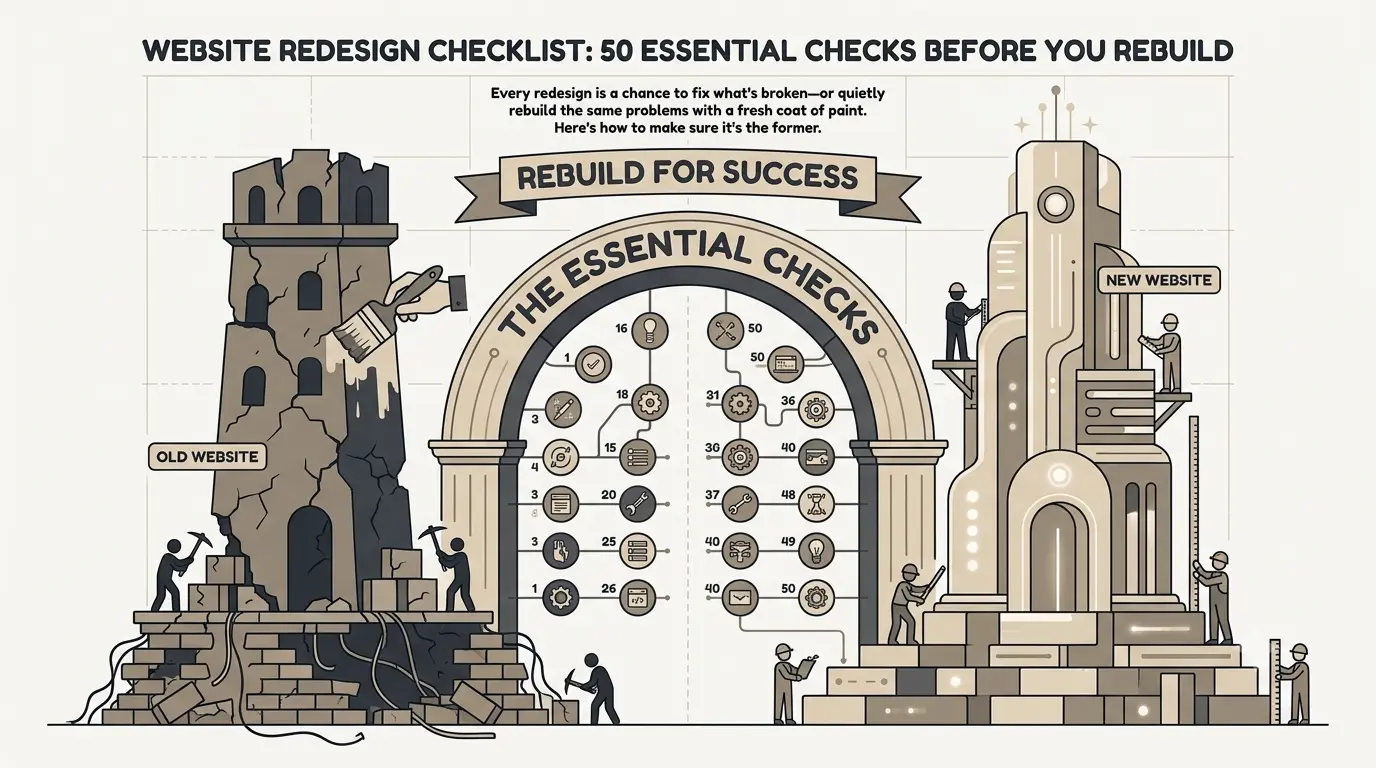
Most website redesigns don't fail because the new design looks bad. They fail because nobody audited the old site before tearing it down—so the team quietly rebuilds the same broken navigation, the same missing meta tags, and the same slow checkout flow, just in a nicer font.
A website redesign checklist exists to prevent exactly that. Before a single mockup gets approved, you need a clear picture of what's actually working, what's actually broken, and what you'll lose if you're not careful during the rebuild—especially your SEO rankings, which can take months to recover if migrated carelessly. For a deeper dive on preserving organic visibility, see our SEO migration checklist.
"The biggest redesign risk isn't a bad new design. It's losing everything the old site had already earned—rankings, backlinks, load speed—because nobody checked before hitting rebuild."
— Web Strategy Lead, EteriatechThis checklist walks through seven categories: goals and benchmarks, content, UX and navigation, mobile and performance, SEO and technical foundations, accessibility, and pre/post-launch QA. Work through it before you brief a designer, and again before you flip the switch on the new site.
Define Goals & Benchmarks Before You Touch Anything
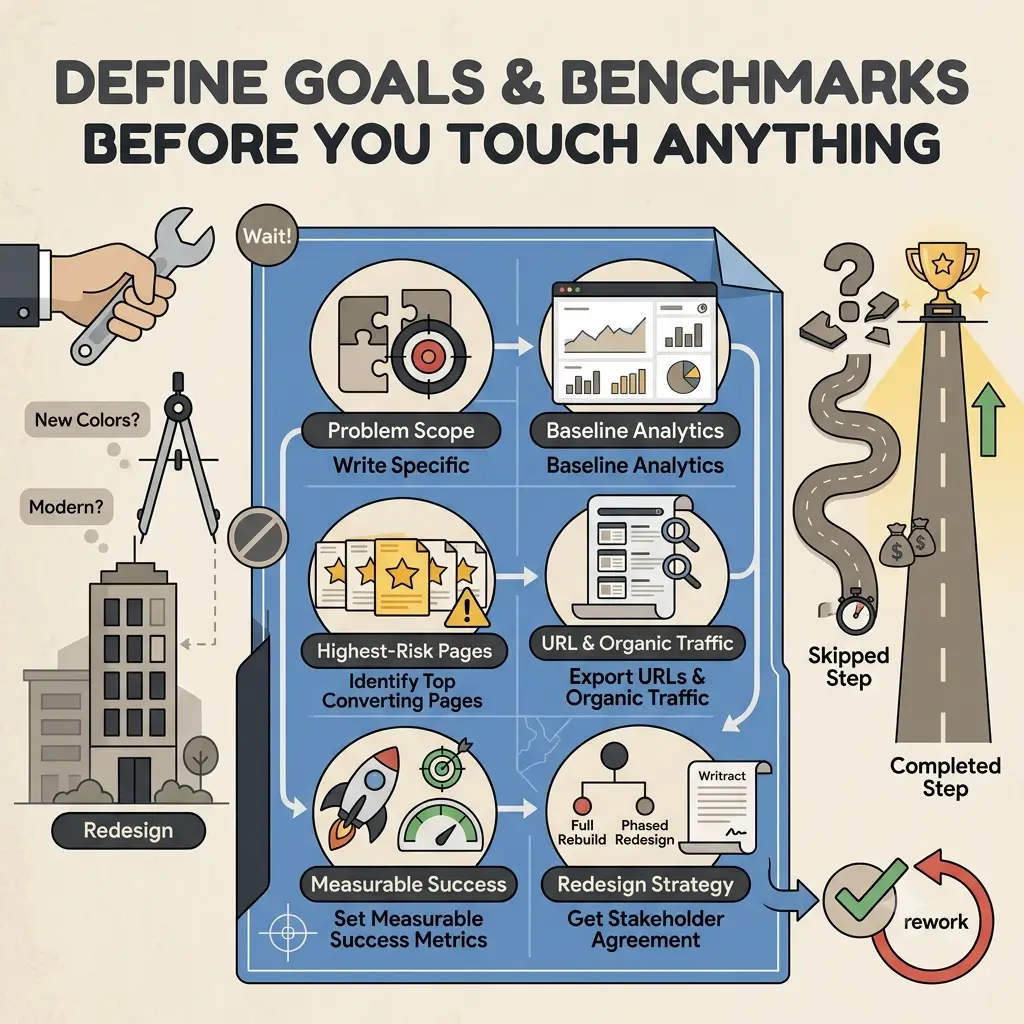
"Make it look modern" is not a redesign brief. Without a clear problem statement and baseline metrics, you have no way to know if the new site actually performed better than the old one—you'll just be guessing based on how it feels.
Checklist: Goals & Benchmarks
- 01 Write down the specific problem the redesign is meant to solve (low conversions, outdated brand, slow site, hard to update)
- 02 Pull baseline analytics: traffic, bounce rate, conversion rate, and top landing pages from the last 12 months
- 03 Export a full list of current URLs and their organic traffic and backlinks
- 04 Identify your 5-10 highest-converting pages—these are your highest-risk pages to break
- 05 Set 2-3 measurable success metrics (e.g., +15% conversion rate, -1s load time)
- 06 Decide whether this is a full rebuild or a phased redesign—and get stakeholder agreement in writing
Why This Step Gets Skipped
Teams are usually excited to get to the fun part—new colors, new layouts—and treat the audit as a delay. In practice, this step takes a day or two and prevents weeks of rework later. Skipping it is the single biggest predictor of a redesign that ships on time but underperforms the old site.
Content & Messaging Audit
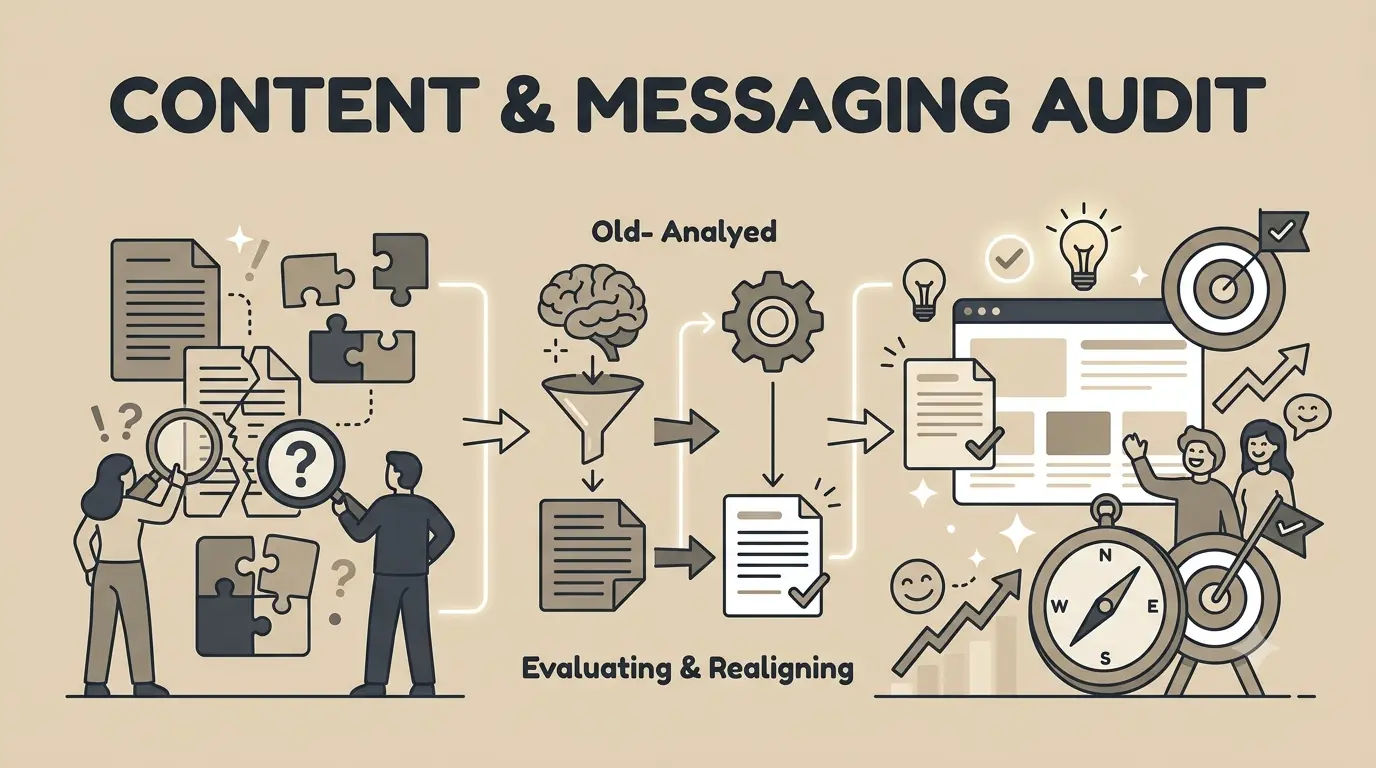
A redesign is the natural time to ask a harder question than "does this look good?"—namely, "does this page still say the right thing?" Visual design gets most of the attention, but outdated or unclear copy is often the real reason visitors leave without converting. Our content audit guide walks through this step by step.
Checklist: Content & Messaging
- 07 Audit every page for content that's outdated, duplicated, or no longer relevant
- 08 Confirm your value proposition is clear within 5 seconds of landing on the homepage
- 09 Check that every page has one clear, primary call to action—not three competing ones
- 10 Identify pages to consolidate, merge, or delete entirely (thin, low-traffic, or overlapping content)
- 11 Re-read all copy for jargon your customers wouldn't actually use in a Google search
- 12 Confirm testimonials, case studies, and trust signals are current—not from a company you've since rebranded
- 13 Plan for new content types the old site was missing (FAQs, comparison pages, resource hub)
"We redesigned the whole site and forgot to update the copy. Six months later we realized the homepage still referenced a product we'd discontinued."
— Marketing Director, mid-sized SaaS company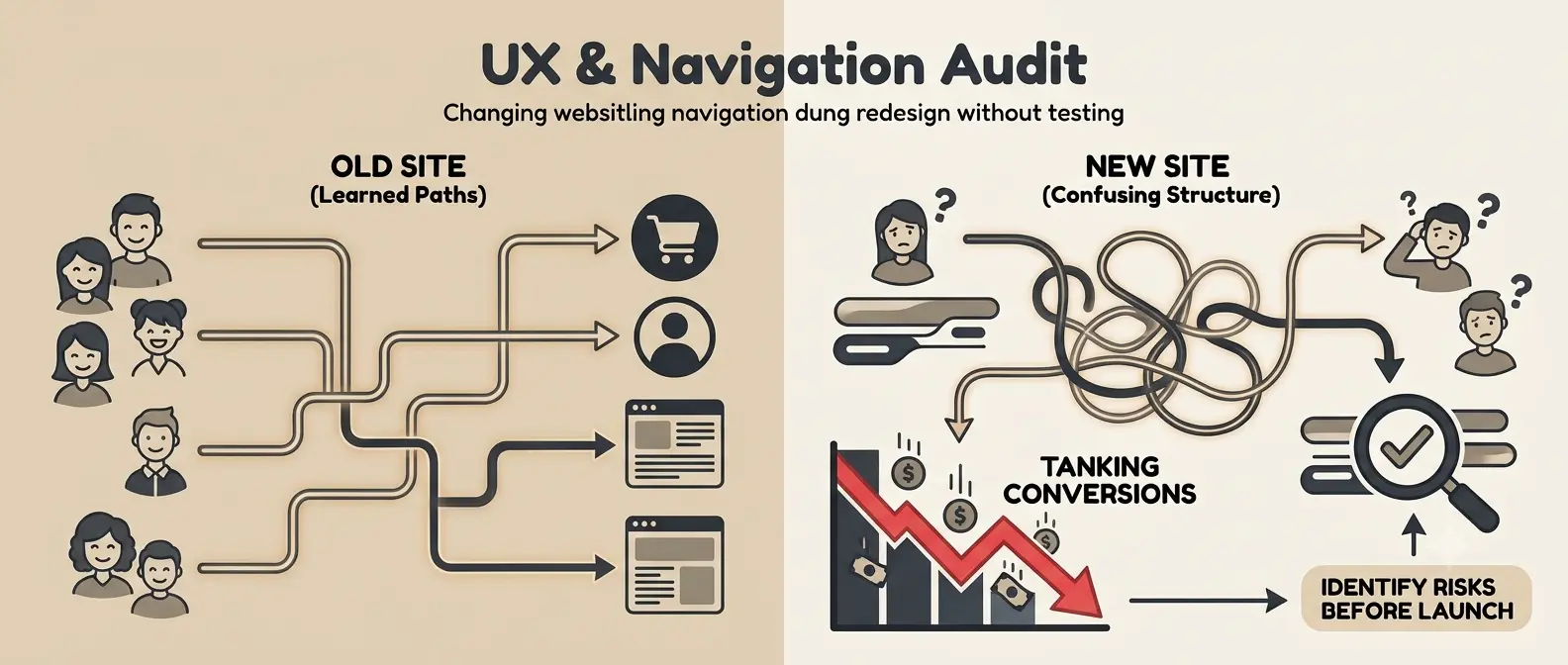
UX & Navigation Audit
This is where redesigns quietly do the most damage. Teams reorganize navigation to "feel cleaner," unaware that visitors had learned exactly where things were on the old site. A confusing new structure can tank conversions even when every individual page looks better. If you need dedicated testing, our UX audit services can identify these risks before launch.
Checklist: UX & Navigation
- 14 Run a card-sorting or tree-testing session before finalizing the new navigation structure
- 15 Map every old URL to its new equivalent (you'll need this for redirects—see Section 5)
- 16 Limit primary navigation to 5-7 items; move the rest into logical sub-menus
- 17 Test the checkout or lead-capture flow on the new design with at least 5 real users
- 18 Confirm search functionality (if present) still works and returns relevant results
- 19 Check that breadcrumbs, back buttons, and "return to homepage" links all function correctly
- 20 Verify forms retain the same fields, validation, and confirmation behavior as before
- 21 Compare click-depth to key pages—don't bury high-converting pages more than 2-3 clicks deep
Case Study: B2B Services Company
A professional services firm redesigned its site for a cleaner look but restructured navigation without testing it first. Contact form submissions dropped immediately after launch.
Result: The team restored the original navigation logic while keeping the new visual design, recovering the lost conversions within two weeks.
Mobile Experience & Page Speed
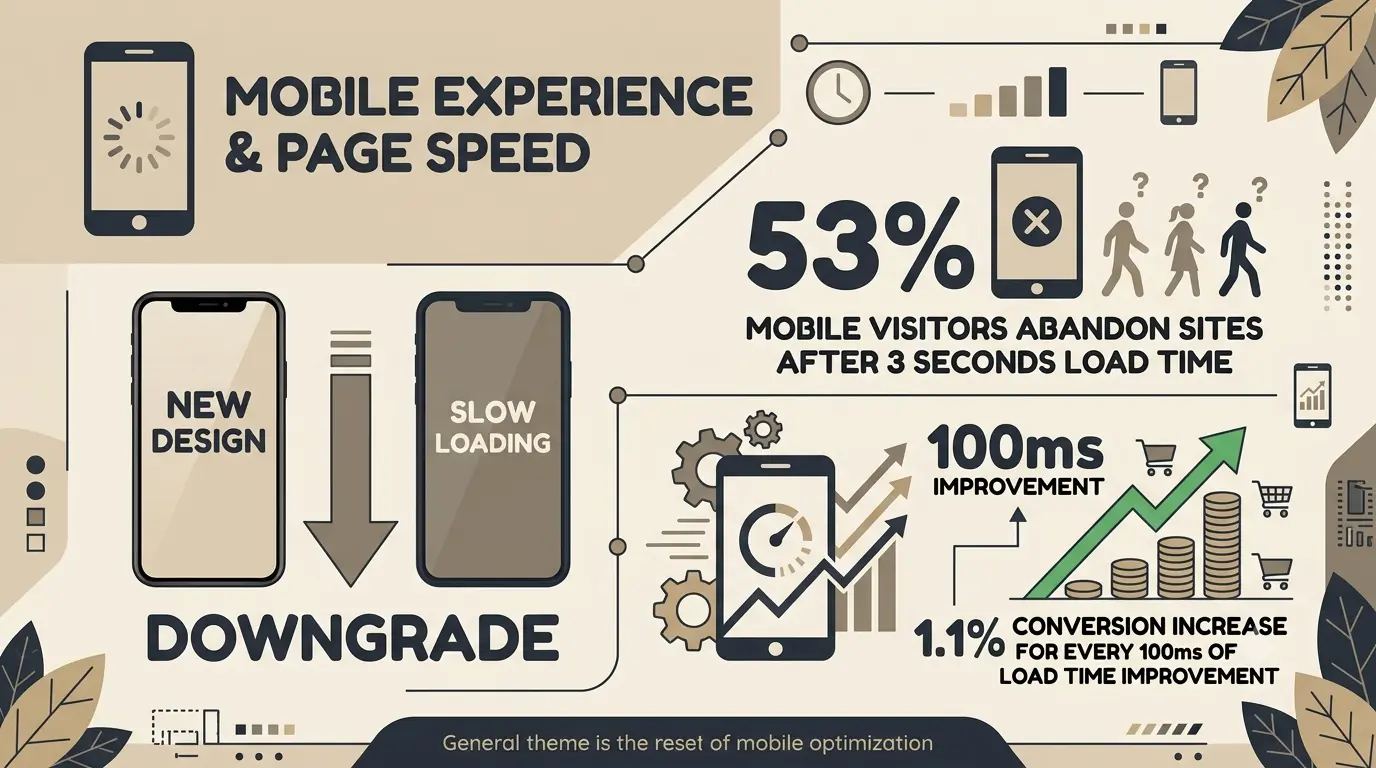
A beautiful new design that loads slowly on mobile is a downgrade, not an upgrade. Since most redesigns add visual polish—animations, larger images, custom fonts—performance regressions are one of the most common (and most avoidable) redesign mistakes.
of mobile visitors abandon sites that take longer than 3 seconds to load
conversion increase for every 100ms of load time improvement
Checklist: Mobile & Performance
- 22 Test the new design on real mobile devices, not just a resized browser window
- 23 Compress and lazy-load all images; convert to WebP where possible
- 24 Run Core Web Vitals (LCP, CLS, INP) on staging before launch—not after
- 25 Verify touch targets are large enough and spaced for thumb navigation
- 26 Confirm forms use appropriate mobile keyboard types (numeric for phone, email for email fields)
- 27 Test on a throttled 3G connection to catch worst-case load scenarios
- 28 Audit third-party scripts (chat widgets, trackers, fonts)—each one adds load time
SEO & Technical Foundations
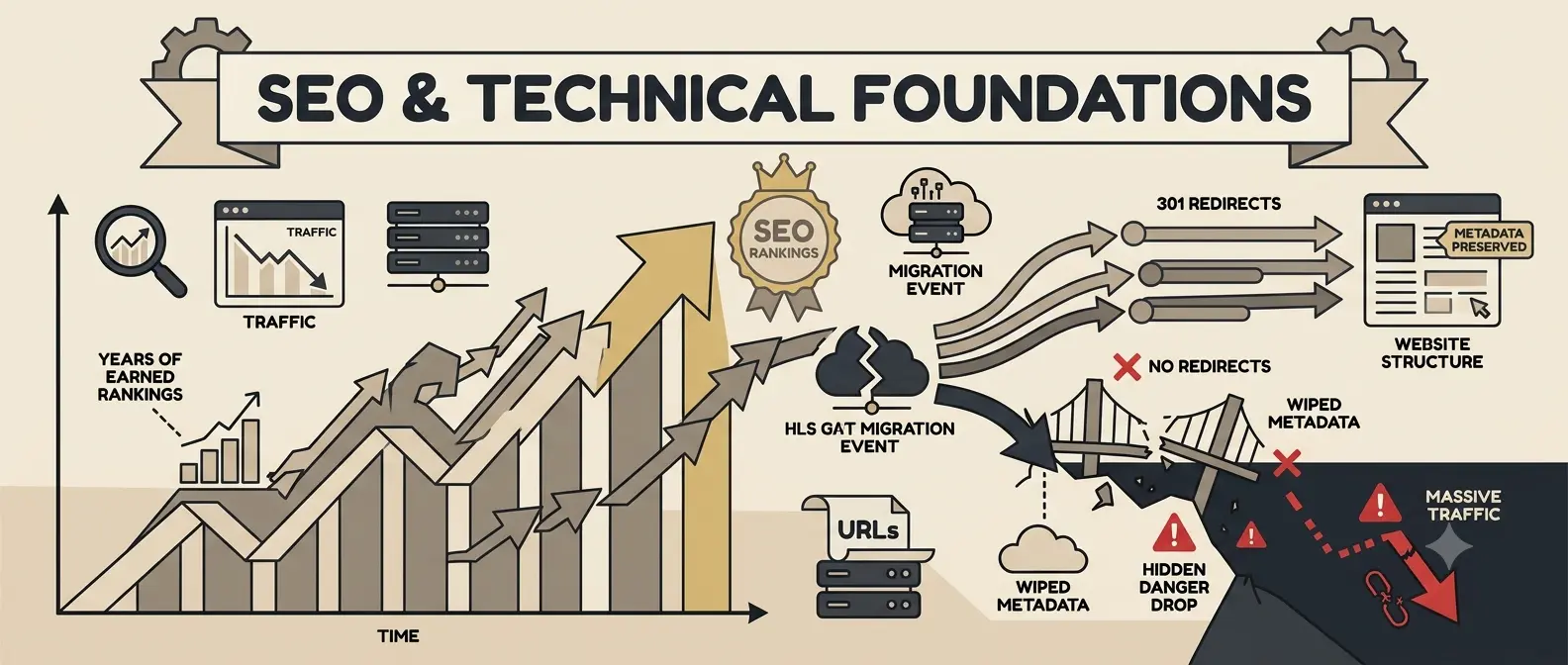
This is the category most likely to cause a visible traffic drop if handled poorly—and the one most redesign teams treat as an afterthought. Rankings you've spent years earning can evaporate in weeks if URLs change without redirects, or if metadata gets wiped during migration.
"We've audited a lot of post-redesign traffic drops. Almost every one traces back to the same cause: URLs changed and nobody set up 301 redirects."
— SEO Consultant, freelanceChecklist: SEO & Technical
- 29 301 Redirect Map: Every old URL that changes needs a redirect to its new equivalent—no exceptions, no relying on a generic homepage redirect.
- 30 Metadata Preservation: Title tags, meta descriptions, and header structure (H1-H6) should carry over or improve, never disappear.
- 31 XML Sitemap: Regenerate and resubmit to Google Search Console immediately after launch.
- 32 Robots.txt Check: Confirm staging environments were never accidentally indexed, and the new robots.txt doesn't block pages you need crawled.
- 33 Structured Data: Reimplement schema markup (reviews, FAQs, breadcrumbs) that the old site had.
- 34 Internal Linking: Rebuild internal links to point to new URLs, not old ones that rely on redirects.
- 35 Canonical Tags: Verify canonical tags point to the correct new URLs, especially on paginated or filtered pages.
- 36 SSL & Domain Consistency: Confirm HTTPS is enforced and www/non-www versions resolve to one canonical version.
Accessibility Checklist
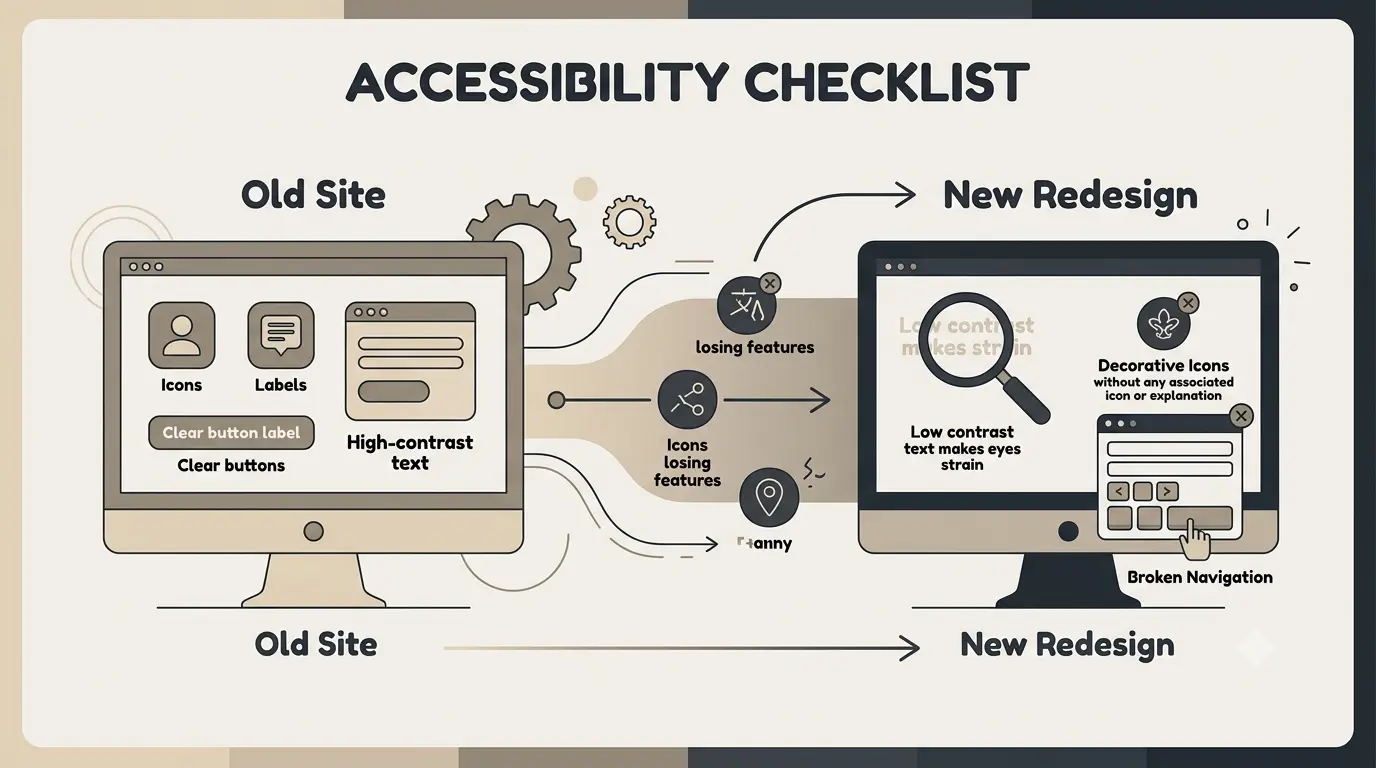
New designs sometimes lose accessibility features the old site had by accident—lower contrast for a "cleaner" look, decorative icons with no labels, or a redesigned form that breaks keyboard navigation. A redesign should improve accessibility, not regress it.
Checklist: Accessibility
- 37 Run new page templates through an automated accessibility checker (axe, WAVE, or Lighthouse)
- 38 Verify text/background contrast meets WCAG AA at minimum
- 39 Confirm every image has descriptive alt text—not just "image1.jpg" or blank
- 40 Tab through every page using only a keyboard to confirm focus order is logical
- 41 Check that form fields have visible labels, not just placeholder text
- 42 Confirm heading structure is semantic and sequential (one H1, logical H2/H3 nesting)
Most of these checks take minutes with free tools and catch issues that are expensive to retrofit later—both from a legal-risk and a user-experience standpoint.
Analytics, Tracking & Pre-Launch QA
If your analytics and conversion tracking break during migration, you'll have no way to measure whether the redesign actually worked—you'll be flying blind during the exact window when you most need data.
Before You Launch
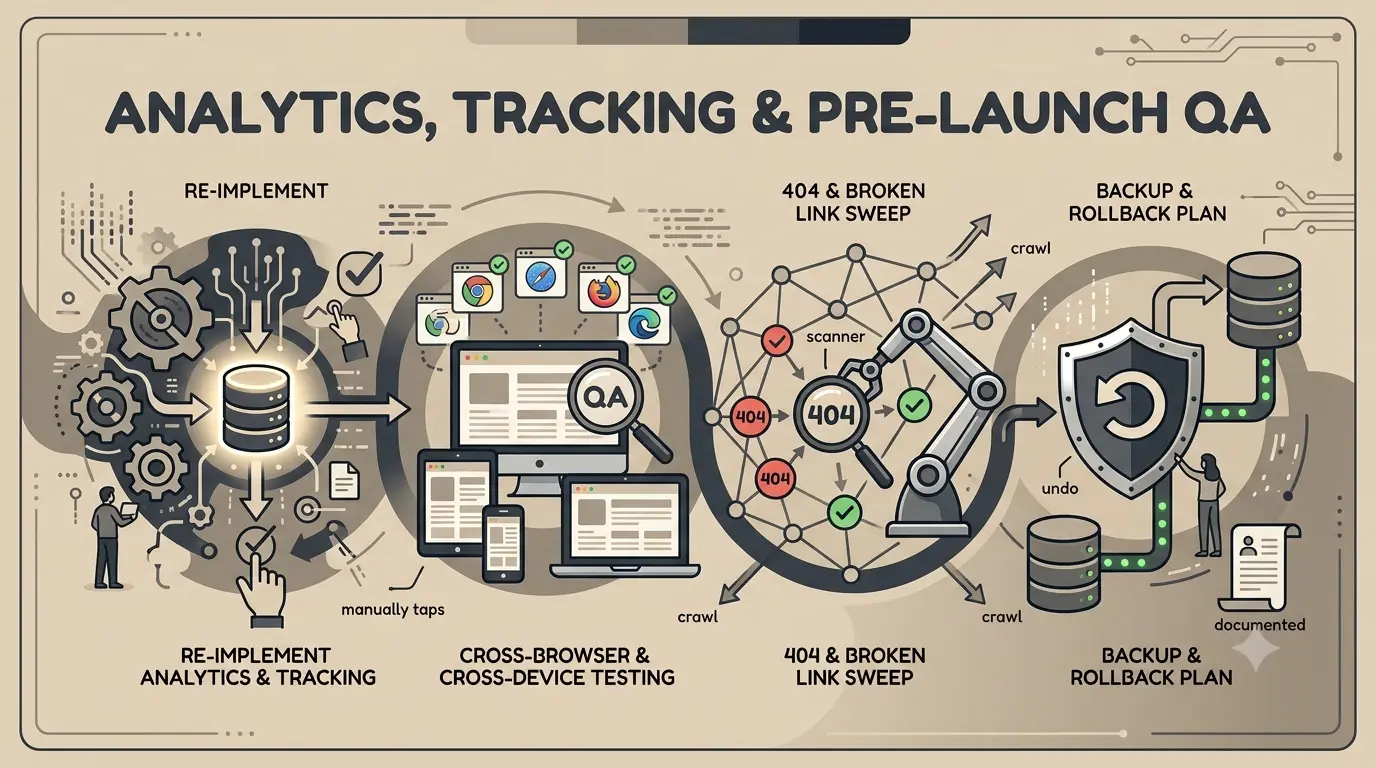
43 Re-implement Analytics & Conversion Tracking
Confirm Google Analytics, conversion pixels, and any CRM integrations fire correctly on the new site before launch—test every form and checkout event manually.
44 Cross-Browser & Cross-Device Testing
Test on Chrome, Safari, Firefox, and Edge across desktop and mobile. Don't rely on "it looked fine on my machine."
45 404 & Broken Link Sweep
Crawl the entire staging site with a tool like Screaming Frog to catch broken links and missing redirects before they go live.
46 Backup & Rollback Plan
Have a documented way to revert to the old site within minutes if something breaks post-launch. Hope is not a rollback plan.
The First 30 Days After Launch
- 47 Monitor Search Console daily for crawl errors and sudden indexing drops.
- 48 Watch conversion rate against baseline—not just traffic, which can be misleading short-term.
- 49 Collect real user feedback through a simple on-site survey or support ticket tagging.
- 50 Re-run performance tests a week post-launch, since real-world traffic reveals issues staging never showed.
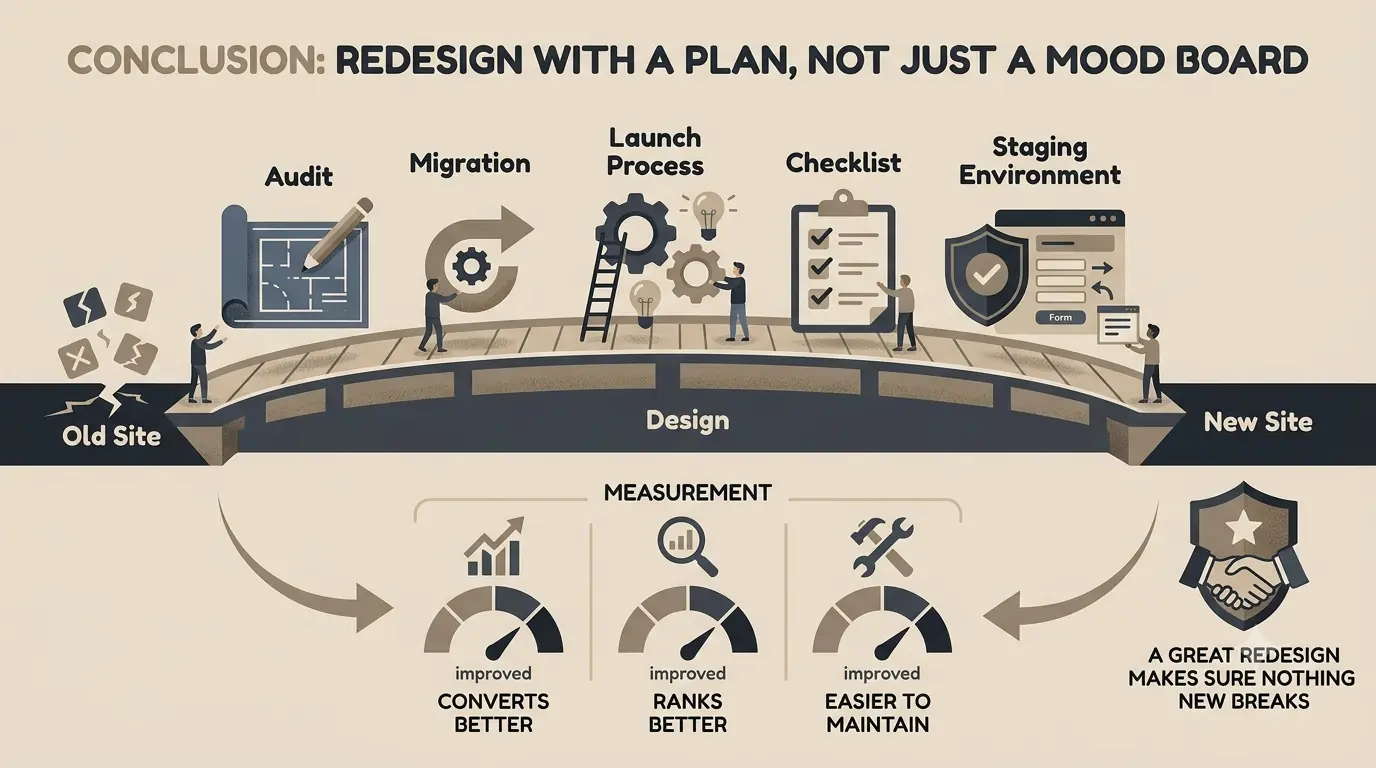
Conclusion: Redesign With a Plan, Not Just a Mood Board
A great website redesign is never just a visual refresh—it's an audit, a migration plan, and a launch process, all wrapped around a new design. Skip any one of those, and you risk trading old problems for new ones.
Work through this checklist before you brief a designer, again before development starts, and one final time before launch. It's far cheaper to catch a missing redirect or a broken form on staging than to discover it from a client's angry email a week after going live.
Final Thoughts
The goal of a redesign isn't just a site that looks newer—it's a site that converts better, ranks at least as well as before, and is easier to maintain going forward. If you can't measure improvement on all three, the redesign isn't done yet.
A good redesign fixes what was broken. A great one makes sure nothing new breaks in the process.
Frequently Asked Questions
Here are answers to the most common questions we hear about planning a website redesign:
For a small business site (10-20 pages), 6-10 weeks is realistic once goals and content are settled. Larger sites with custom functionality, integrations, or e-commerce can take 3-6 months. The biggest timeline killer isn't design or development—it's content that isn't ready when the design phase needs it.
Phasing is often smarter, especially for larger sites. You can redesign your highest-traffic or highest-converting pages first, measure the impact, and apply what you learn to the rest of the site. A full rebuild carries more risk because every page changes at once, making it harder to isolate what caused any drop in performance.
This varies widely based on scope, but the deciding factor is usually custom functionality, not visual design. A template-based redesign of a marketing site might run a few thousand dollars; a fully custom rebuild with integrations, e-commerce, or a design system can run well into five or six figures. Get a scoped quote based on your specific page count and functionality rather than comparing generic price ranges.
It can, but it doesn't have to. Most redesign-related ranking drops come from changed URLs without 301 redirects, lost metadata, or removed content that was ranking well. If you map every URL, preserve or improve metadata, and resubmit your sitemap at launch, most sites see minimal disruption—sometimes even a ranking improvement from better performance and structure.
"Still works" and "still performing well" are different things. If conversion rates are flat or declining, mobile experience feels dated, or updates to the site require a developer for every small change, those are signs worth addressing even if nothing is technically broken. A useful gut check: would a first-time visitor trust this business based on the site alone?
Skipping the audit phase. Teams jump straight to new visuals without documenting what's currently working, what URLs need redirects, or what baseline metrics they're trying to beat. This leads to redesigns that look better but perform worse, with no clear way to diagnose why.
Let data decide, not preference. Keep pages, content, and features with strong traffic, conversions, or backlinks even if they don't fit the new visual direction—redesign their presentation, not their substance. Replace or cut anything with low traffic, high bounce rates, or content that no longer reflects your business.
DIY builders work fine for simple sites with straightforward needs and someone willing to maintain them. It's worth bringing in a professional team once you need custom functionality, a cohesive design system, SEO migration handled correctly, or simply don't have the internal time to manage a multi-week project without it stalling. The cost of a botched DIY migration often exceeds what professional help would have cost upfront.

About Eteriatech
Eteriatech bridges the gap between UX strategy and web development. We don't just implement designs—we understand the "why" behind every click. Our work helps businesses reduce friction, improve conversion, and build websites users love.